
Claude video: how to make a finished film with Claude Opus 5.5
Key Takeaways (TL;DR)
- ✅Claude can make videos with KitCut: type one sentence; Claude Opus 5.5 writes, draws, animates, narrates and scores the film, and KitCut renders a 1920x1080 MP4.
- ✅Free to start: 30 seconds of film every month with no card, and an invite link adds 2 more minutes.
- ✅Works inside Claude: add kitcut.ai/mcp as a custom connector and ask for a film mid-conversation - in Claude, Claude Code, ChatGPT or Grok.
- ❌Not a video generator: no photoreal footage or real people moving - films are drawn or painted animation, in 16:9.
Can Claude make videos?
Yes, with the right tool around it. On its own, Claude writes text and code; it does not hand you an MP4. KitCut is the missing half: it gives Claude Opus 5.5 a drawing engine, a narrator, an orchestra and a renderer, so one sentence comes back as a finished, narrated film.
That is a different thing from an AI video generator. Sora, Veo or Runway turn a prompt into moving pixels a few seconds at a time. On KitCut, Claude writes the whole film as a program - every drawing, camera move, word on screen and music cue - and KitCut renders it. So a film can run from 5 seconds to 8 minutes as one planned piece, with the picture, the narration and the music timed to each other, word by word.
A disclosure before the praise: we built KitCut, so read this as the maker's guide. Everything below is what the product does today, shown with real films made on it, and the limits are listed as plainly as the strengths. KitCut is an independent product built on Claude; it is not made or endorsed by Anthropic.
Claude video examples: eight films, each from one prompt
Every film below was made on KitCut from the prompt under it, and none was edited afterwards - KitCut has no edit step. Press play; the small kitcut.ai mark on some is the Free plan's.
Prompt: “A 30-second ad for the opening of Marisol, a new seafood restaurant by the harbour: fish from the morning's boats, cooked over a wood fire, served at a long table…”
Watch on KitCut with sound →Prompt: “Create a 10-second high-end advertisement for the Steam game "Turing Complete".”
Watch on KitCut with sound →Prompt: “…Show queensgame.io as a modern, addictive online logic puzzle game. Focus on a polished puzzle board, queen placement…”
Watch on KitCut with sound →Prompt: “create something for https://clamly.app to show Clamly values”
Watch on KitCut with sound →Prompt: “An 8-minute hand-drawn documentary explainer titled "Dell Went Private. HP Split in Two. AI Picked a Winner." Two PC giants hit the same wall, made opposite bets…”
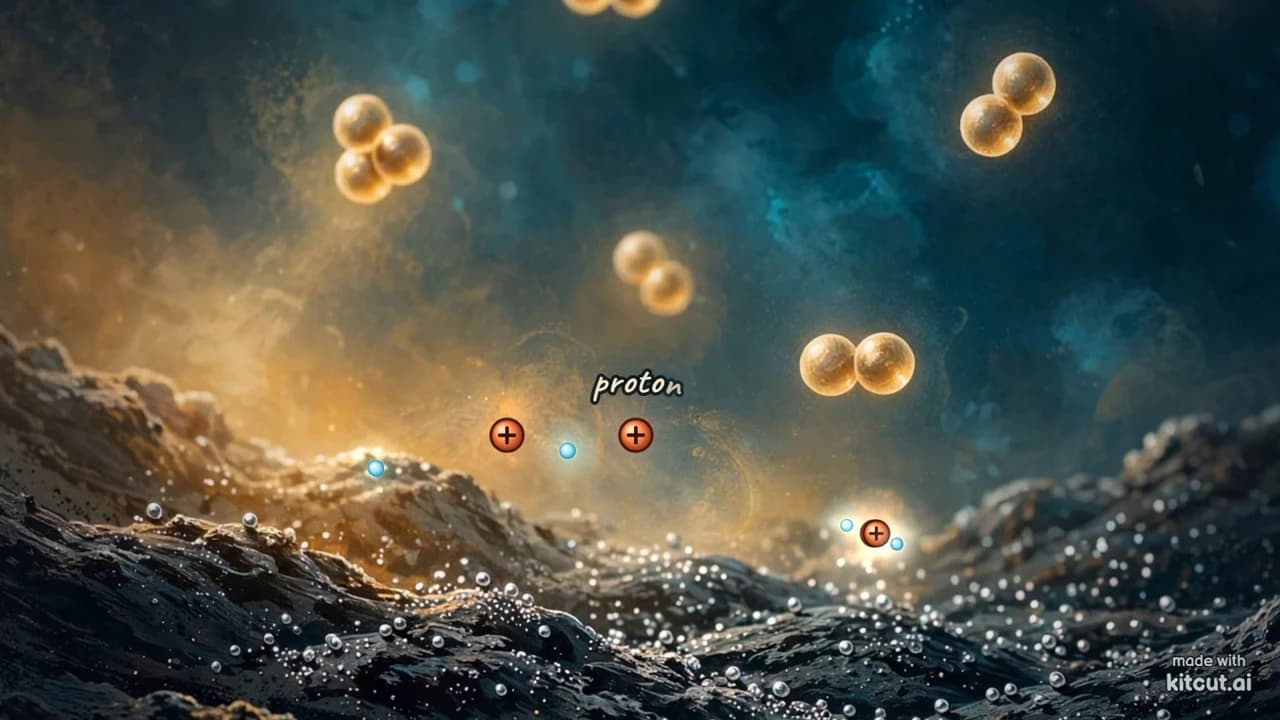
Watch on KitCut with sound →Prompt: “Create a visually stunning 30-second hand-painted scientific film explaining how a proton exchange membrane fuel cell works…”
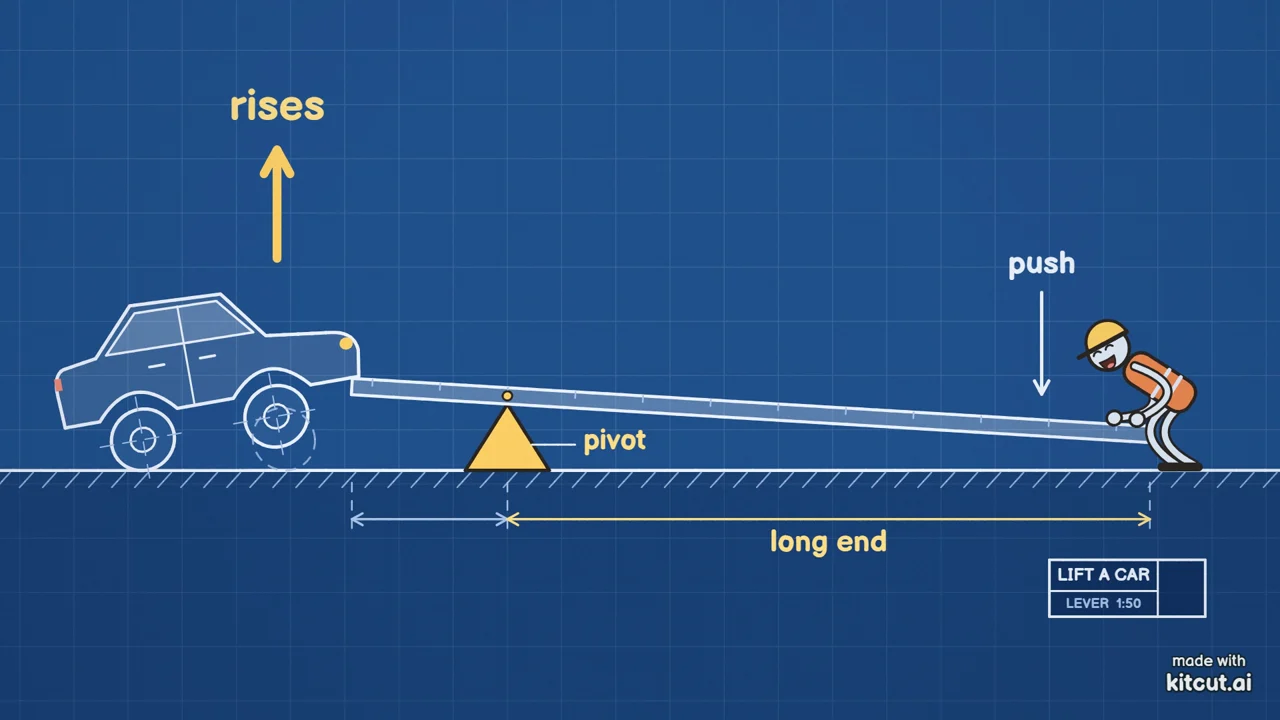
Watch on KitCut with sound →Prompt: “How a lever lets one person lift a car, drawn as a blueprint”
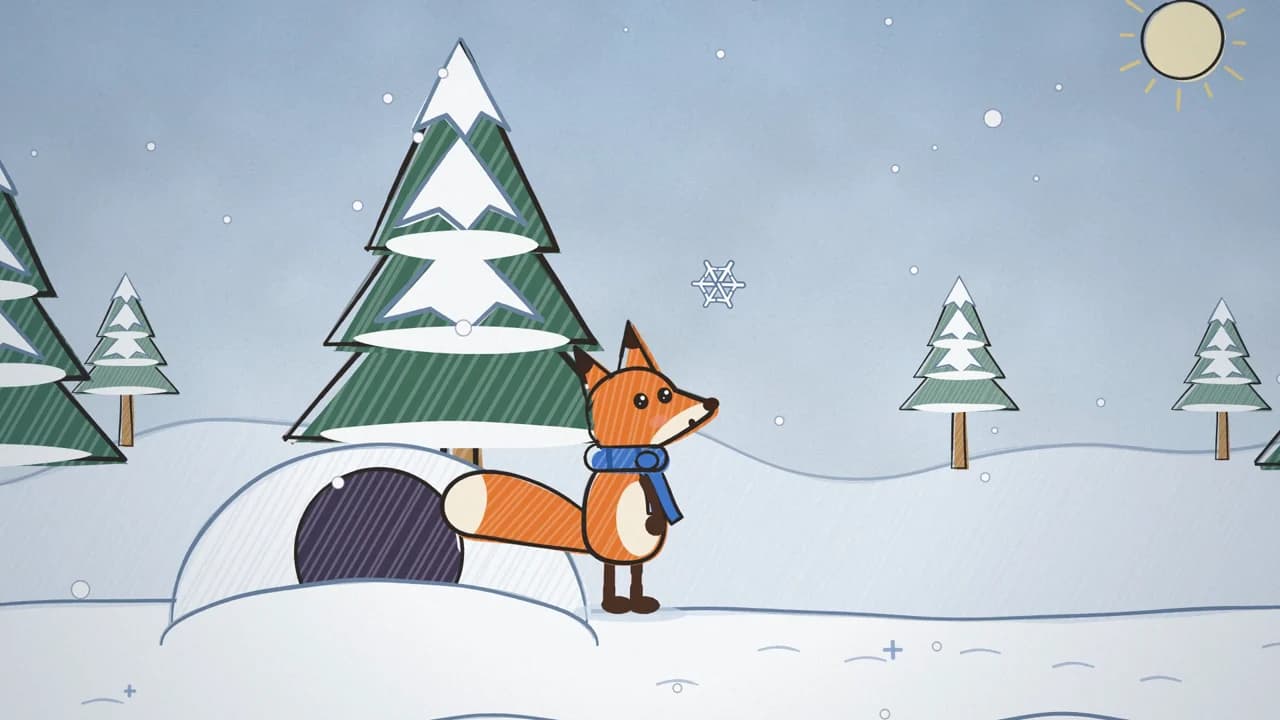
Watch on KitCut with sound →Prompt: “Pip the fox sees snow for the first time.”
Watch on KitCut with sound →How to make a Claude video in four steps
Say who the film is for and what it must say. The voice, the music and the drawing style are Claude's choice, but you can ask for them in words - 'a calm female voice, solo piano, clean line art' - and Claude follows when it can.
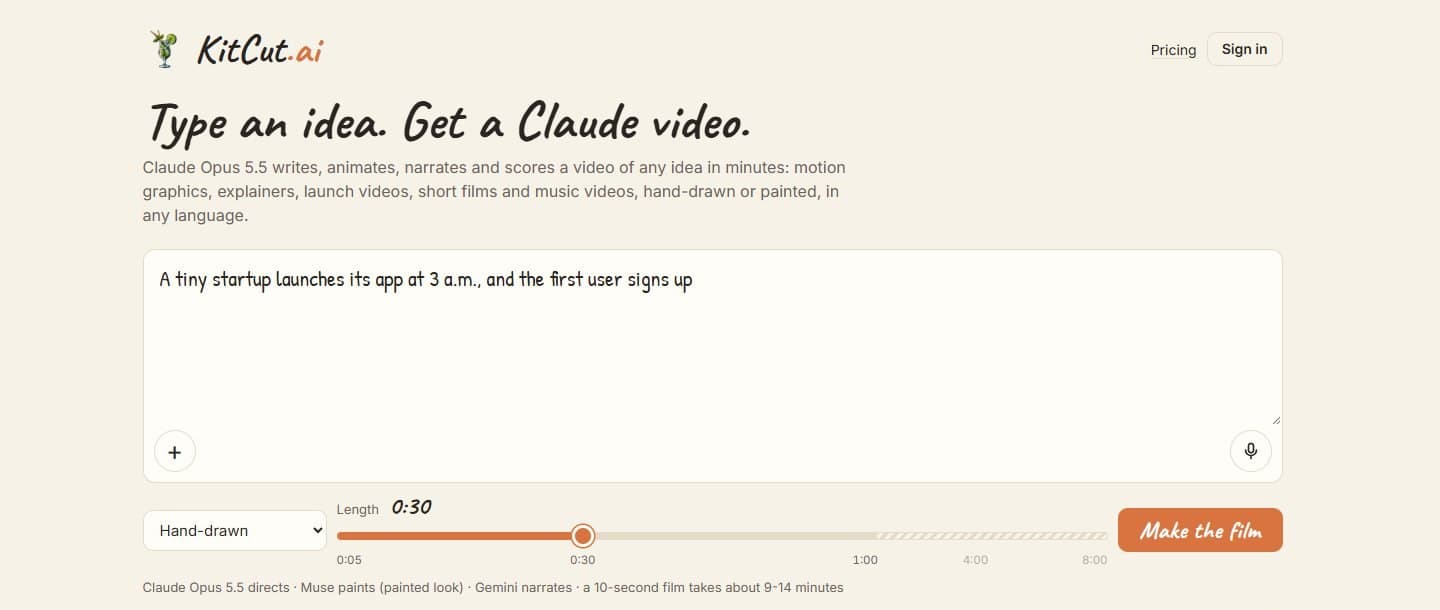
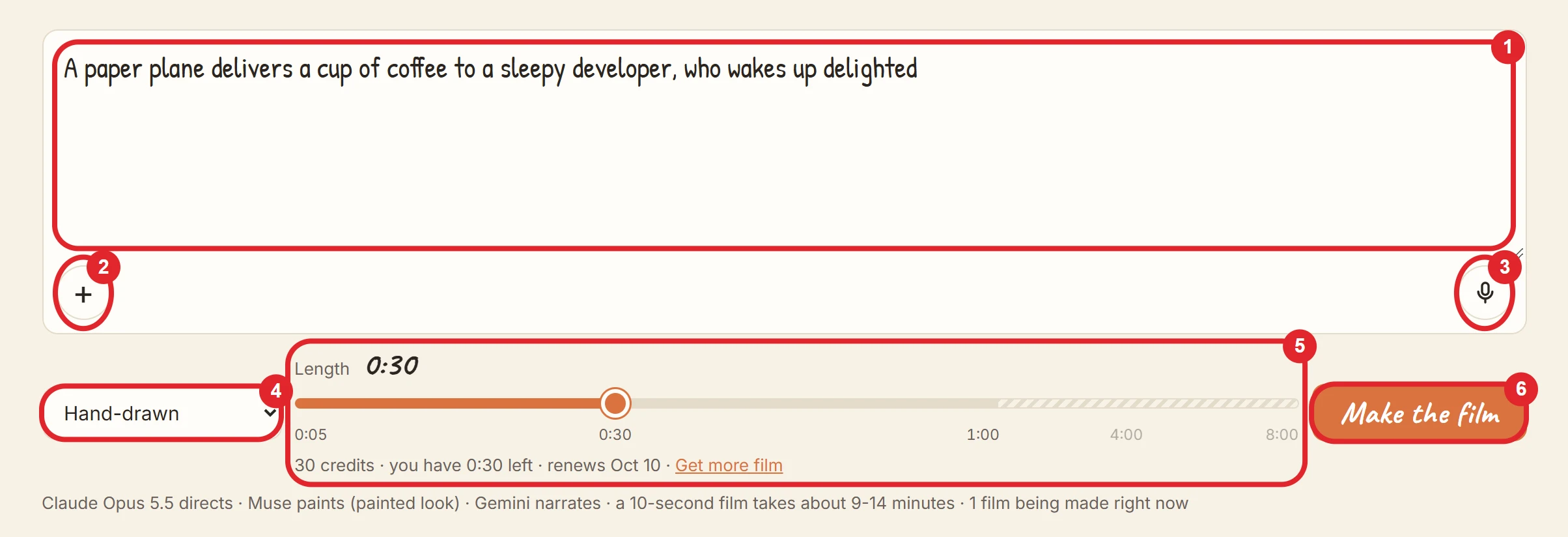
- Open kitcut.ai and describe the film in the idea box: what it is about, who it is for, the tone, and anything it must say or show. One sentence is enough; up to 12,000 characters are allowed.
- Add pictures or voice notes if you have them - a logo, a product shot, a sketch or a spoken brief. Up to 6 pictures and 3 voice notes a film.
- Pick a look (hand-drawn or painted) and a length, then press Make the film. You sign in the first time, and nothing you typed is lost.
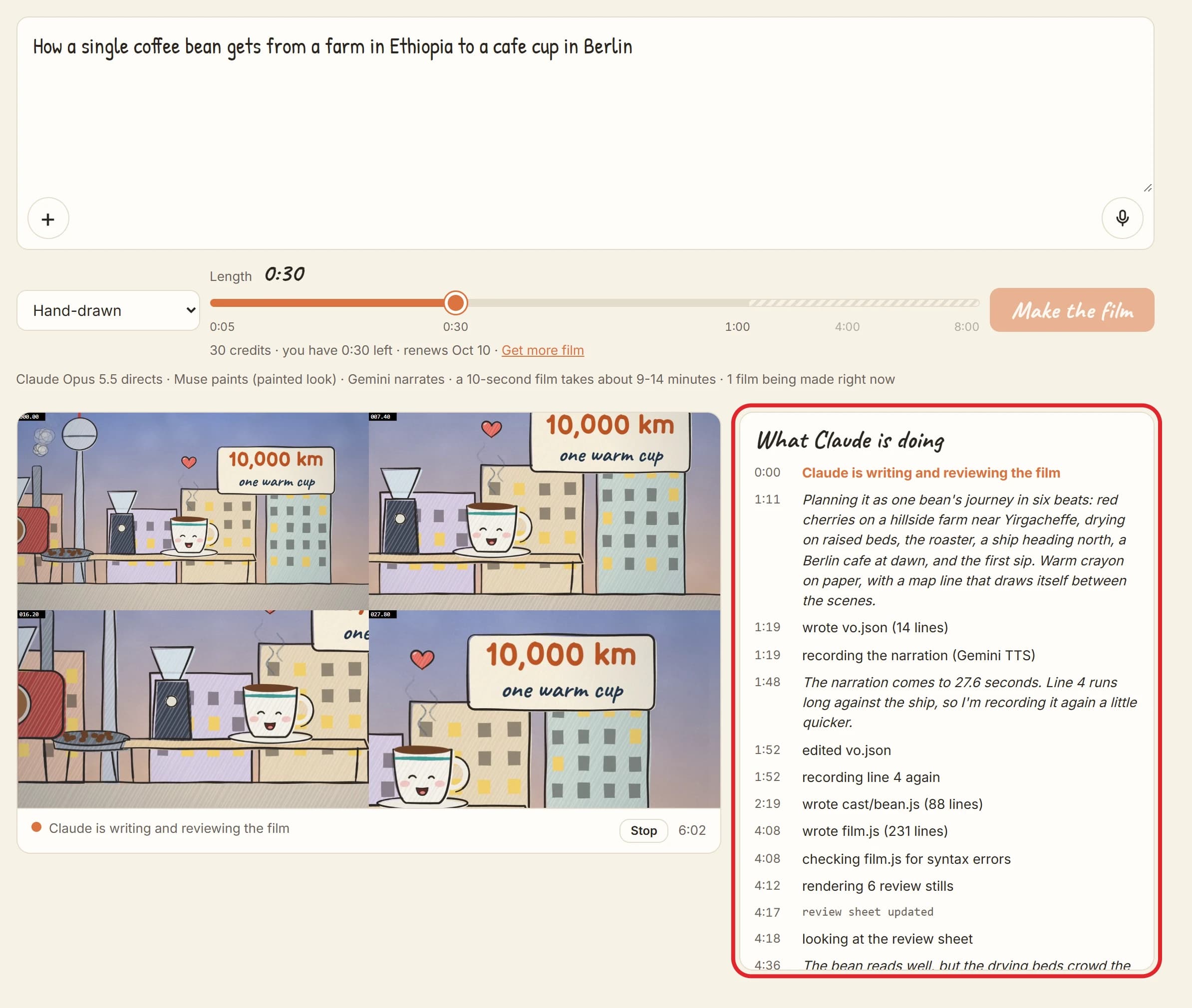
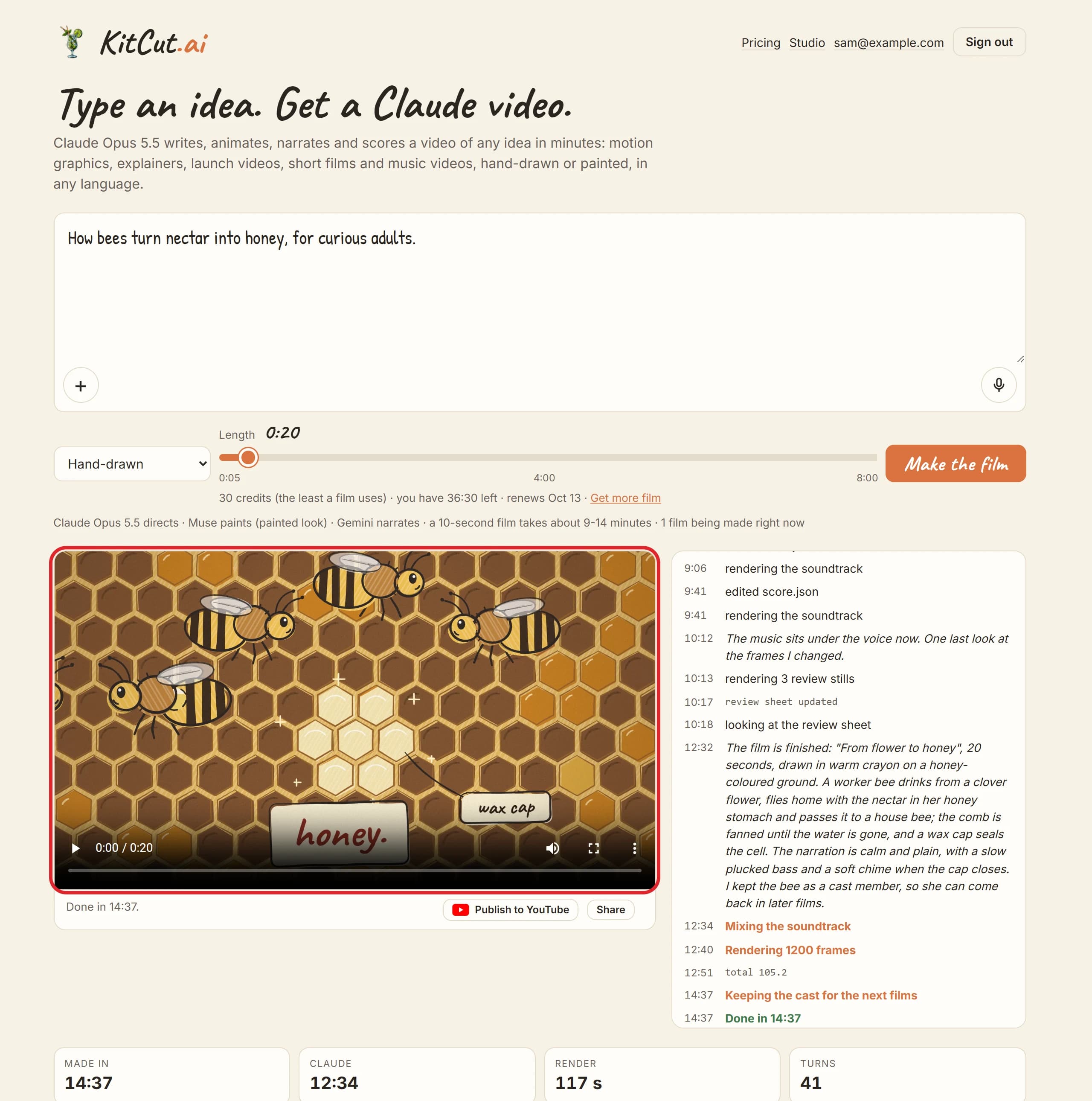
- Watch it being made. The film's page shows what Claude is doing and the stills it is checking, then plays the finished film. A 30-second film takes about 16 to 24 minutes once its turn comes.
What Claude Opus 5.5 does inside every film
KitCut does not ask a model to imagine pixels. Claude directs the film, writes it as code and checks its own work; KitCut supplies the voice, the instruments and the renderer.
| Step | What happens |
|---|---|
| Direction | Claude decides who the film is for and its mood, then the drawing or painting style, the narrator's voice and the music - and holds the film to looking professionally made for that audience. |
| Narration | Claude writes the script. Gemini's text-to-speech records it, and every word is timed so the picture can change on it. |
| Picture | Claude draws and animates every scene in code on KitCut's sketch engine - or, in the painted look, has the scenes painted and animates the paintings. |
| Review | Claude renders stills and a motion check from across the film, looks at them and fixes what is wrong, up to twice. |
| Music and sound | Claude writes an instrumental score and the sound effects; KitCut plays them on sampled instruments and keeps the music under the voice. |
| Render | Every frame is drawn and encoded to a 1920x1080 MP4 - 60 frames a second on paid plans, 30 on Free - with subtitles. |
Because the film is code, the words on screen are typed text, spelled exactly as written. A logo you attach is placed as it is, not re-imagined. And a character Claude drew is kept, so it can come back in your next film with the same look, voice and music.
Two looks: hand-drawn Claude animation or painted scenes
Hand-drawn: Claude draws every frame in code. The default crayon style has lines that boil slightly from frame to frame, off-register fills and paper grain; the clean style is crisp editorial line art with flat fills. There are ten grounds, from paper and kraft to chalkboard and blueprint.
Painted: an image model paints the scenes from Claude's descriptions, and Claude animates them - camera moves across each painting, cross-fades on spoken words, and words drawn on top. Styles range from 1950s travel poster and ink wash to claymation and watercolour.
You pick the look; Claude picks everything inside it, and your idea can steer it in plain words.
Make a Claude video without leaving Claude
KitCut is also an MCP server, so you can ask Claude for a film in the middle of a conversation and get the link back in the chat.
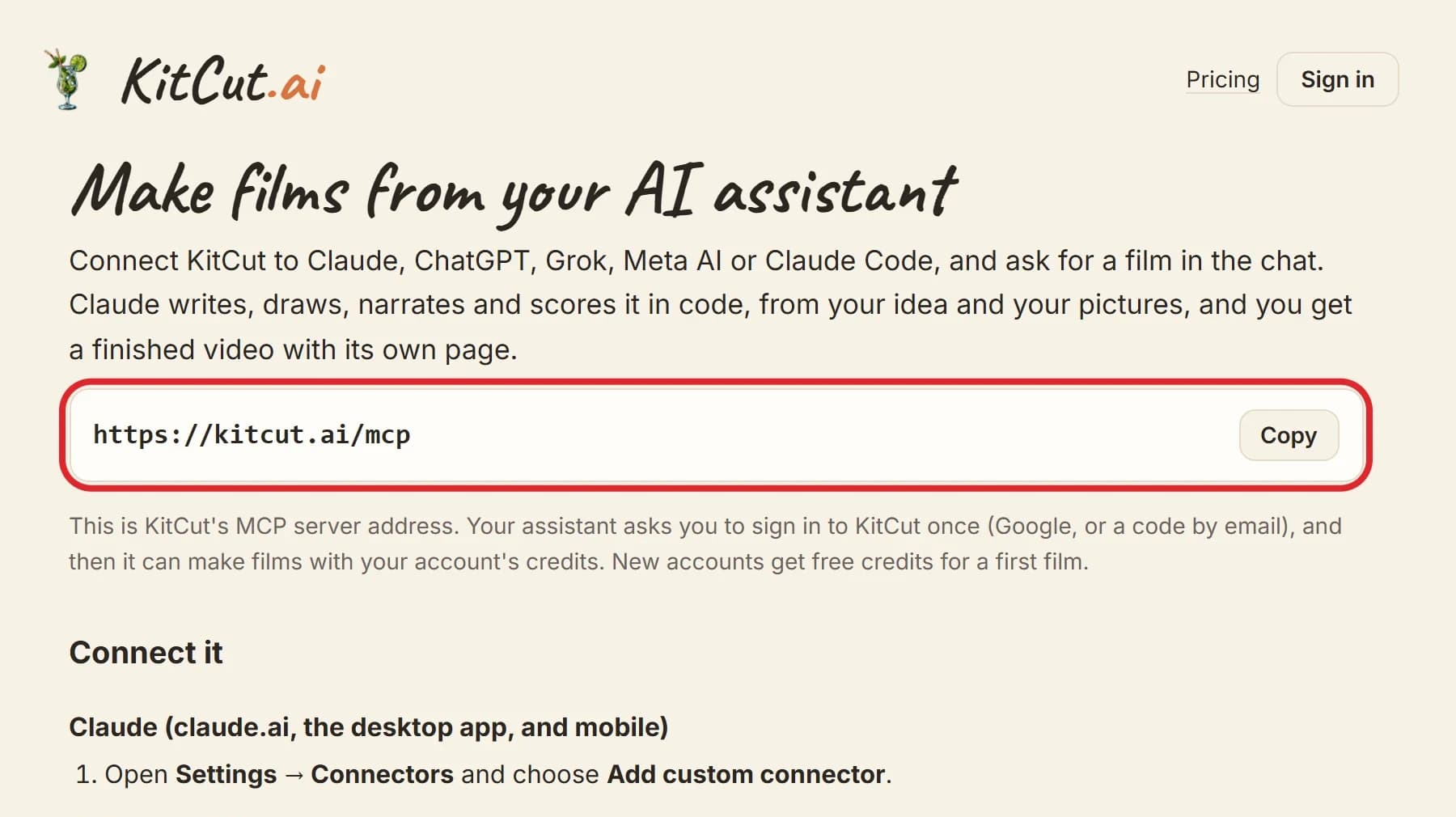
- In Claude on the web, desktop or phone, open Settings → Connectors → Add custom connector.
- Name it KitCut and paste https://kitcut.ai/mcp. Press Connect, sign in to KitCut and press Allow.
- Ask for a film - for example, 'Make a 30-second hand-drawn explainer of how our onboarding works.' Claude confirms the idea, length and look, starts the film and gives you its link straight away.
- Claude checks on the film and tells you when it is ready; the finished film plays on its own page.
In Claude Code it is one command - claude mcp add --transport http kitcut https://kitcut.ai/mcp - then /mcp to sign in. The same address works in ChatGPT, Grok and Meta AI.
Films made from a chat use the same credits as the website, and they are link-only unless you ask for them to be public.
Claude video vs AI video generators (Sora, Veo, Runway)
| AI video generators | KitCut (Claude video) | |
|---|---|---|
| What the model makes | pixels, a clip at a time | a program: drawings, animation, text, sound cues |
| Length | usually seconds per clip | one film of 5 seconds to 8 minutes |
| Words on screen | often misspelled or warped | typed text, spelled exactly as written |
| Your logo | re-imagined by the model | the picture you attached, placed as it is |
| The same character | drifts between clips | kept as code and reused in later films |
| Narration and music | usually added with other tools | written, recorded and mixed with the film, subtitles included |
| Style | photoreal or painterly motion | hand-drawn animation, or painted scenes with camera moves |
Where a generator wins: photorealistic motion, real-looking people moving, live-action shots. KitCut does none of those, by design.
Where a Claude video wins: explainers whose words must be right, product and brand films that must show the real logo, series whose characters must come back, and anything longer than a clip.
What people make with Claude video
- Launch and product ads - a Steam game, a web puzzle game, a restaurant opening.
- Explainers and lessons - a fuel cell, a lever, how bees make honey - where every label has to be right.
- Brand films - a company's values in 30 seconds, from nothing but its web address.
- Long-form business documentaries - up to 8 minutes on Pro, like the Dell vs HP film above.
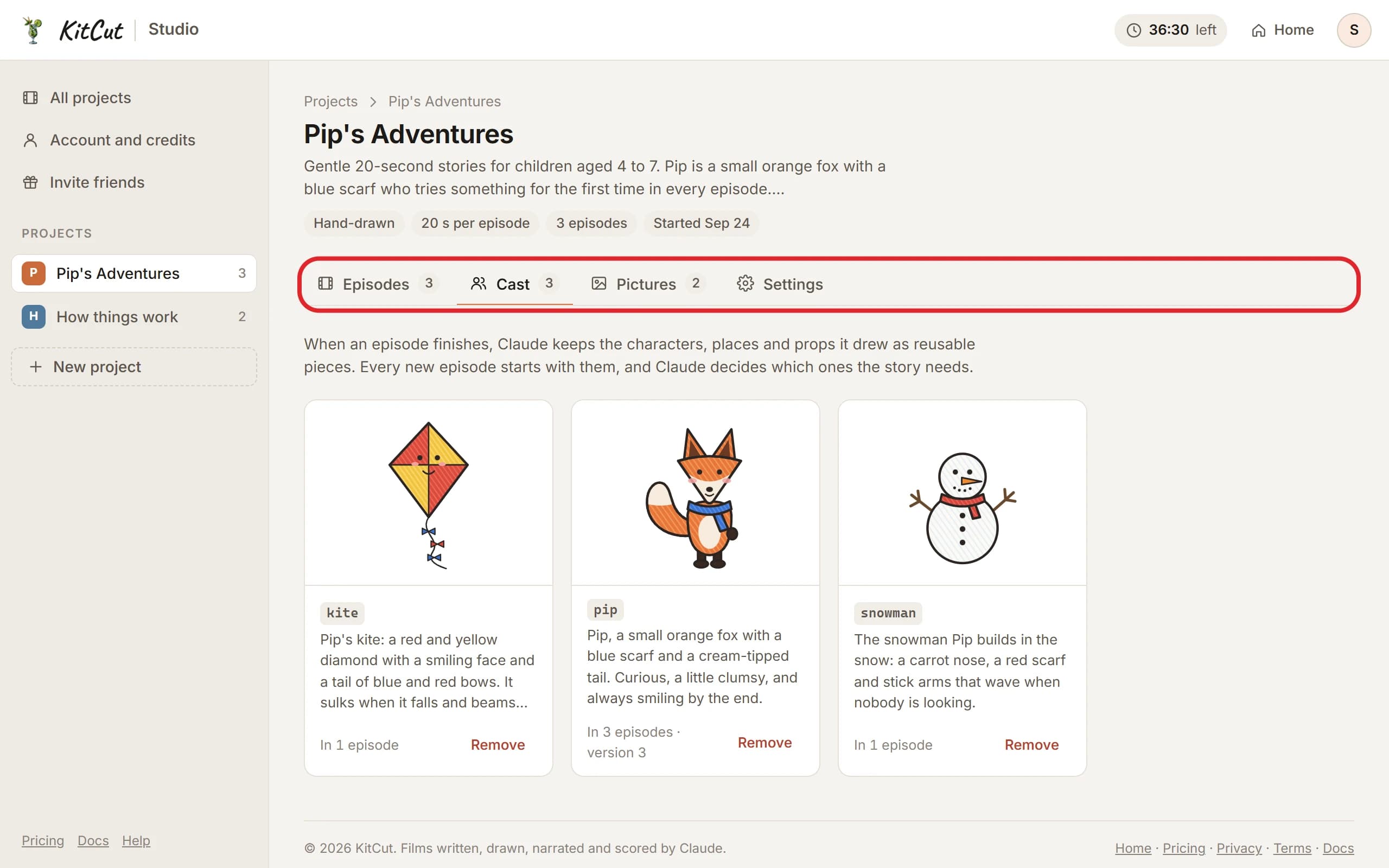
- Stories and series - Pip the fox came back for three films with the same scarf, look and voice.
- Versions in other languages - the narration follows the language of your idea; words on screen cover Latin and Cyrillic alphabets.

How much does a Claude video cost?
| Plan | Price a month | Film a month | Longest film |
|---|---|---|---|
| Free | $0 | 30 seconds | 1 minute |
| Standard | $12 to $319 | 2 to 60 minutes | 1 minute |
| Pro | $45 to $849 | 10 to 240 minutes | 8 minutes |
One credit is one second of film, and a film uses at least 30. Credits are held when a film starts and charged only when it is finished; a failed or stopped film gives them back.
Paid films are 60 frames a second and carry no KitCut mark. Pro makes films up to 8 minutes and goes first when the studio is busy.
Get 2 extra minutes of Claude video
Sign up through a KitCut invite link from our board and your first finished film adds 2 minutes of film for you - and for the person who shared it. No queue: every link is shown in full.
What KitCut doesn't do (yet)
- No photorealistic motion or real people moving: films are drawn or painted animation.
- 16:9 only for now - no vertical Shorts, Reels or TikToks.
- No editing a finished film: make a new one, and its characters, look, voice and music can come back.
- Instrumental music only - no songs or sung vocals.
- No camera footage or video uploads: pictures are the only visual material a film takes.
- No web research: Claude makes the film from your idea and your attachments.
Saying this plainly is the point. A Claude video is a film written and drawn by Claude, not a clip from a video model - which is exactly why its words, logos and characters stay right.
Claude video: frequently asked questions
- Can Claude make videos?
- Not on its own - Claude writes text and code, not video files. With KitCut, Claude Opus 5.5 writes, draws, animates, narrates and scores a film, and KitCut renders it as a 1920x1080 MP4. You can use it on kitcut.ai or from inside Claude through the KitCut connector.
- Is there a Claude video generator?
- KitCut is a Claude video maker rather than a video generator: Claude Opus 5.5 writes the whole film as a program - drawings, camera moves, words on screen and music - and KitCut renders it. That is why words are spelled right and characters stay the same, and also why it does not make photorealistic footage.
- How long does it take to make a Claude video?
- Once its turn comes: about 9 to 14 minutes for a 10-second film, 16 to 24 minutes for 30 seconds, 26 to 39 minutes for a minute, and 1.5 to 2.4 hours for 8 minutes. The film's page shows what Claude is doing the whole time.
- Is KitCut free?
- To start, yes: 30 seconds of film every month with no card, which makes one 30-second film. Free films are 30 frames a second, carry a small kitcut.ai mark and end with a 3-second closing. An invite link adds 2 minutes.
- How long can a Claude video be?
- From 5 seconds up to 8 minutes, in steps of 5 seconds. Free and Standard make films up to 1 minute; Pro makes them up to 8 minutes.
- Which AI models make the film?
- Claude Opus 5.5 does the direction, the script, every drawing and animation, the music and sound-effect scores, and the review of its own frames. Gemini's text-to-speech is the narrator, Meta's Muse paints the scenes of painted films, and Whisper times each spoken word. There is no video-generation model and no stock footage.
- Can I use Claude videos commercially?
- Yes. KitCut's terms allow commercial use of the films you make.
- What languages can the narration be in?
- The narration follows the language your idea is written in, or the one it asks for, and the narrator speaks many languages. Words on screen are limited to Latin and Cyrillic alphabets.
- Can I make vertical videos for TikTok or YouTube Shorts?
- Not yet. Films are 16:9 landscape, 1920x1080.
- Is KitCut made by Anthropic?
- No. KitCut is an independent product built on Claude by the people who run ClaudeCoupons. Anthropic does not make or endorse it.
Make your first Claude video
Type one sentence and watch Claude Opus 5.5 make the film. 30 seconds of film free every month, no card needed.